Private photo color inversion
Invert Photo Online
Turn photos into inverted-color images in seconds. This tool keeps the original photo on your device and creates the result directly in the browser.
Input Images
Upload Multiple Images
Drop images here or click to browse
Inverted Images
Inverted images will appear here
How to invert a photo
- Select a JPG, PNG, WEBP, or mobile photo from your device.
- Preview the uploaded photo in the input panel.
- Click Invert Colors to reverse light, dark, and color values.
- Download the finished inverted photo in your chosen format.
Why invert a photo
- Make creative photo negatives for social posts or mood boards.
- Inspect image details that are easier to see with reversed colors.
- Create high-contrast references for drawing or editing.
- Process personal photos privately without server uploads.
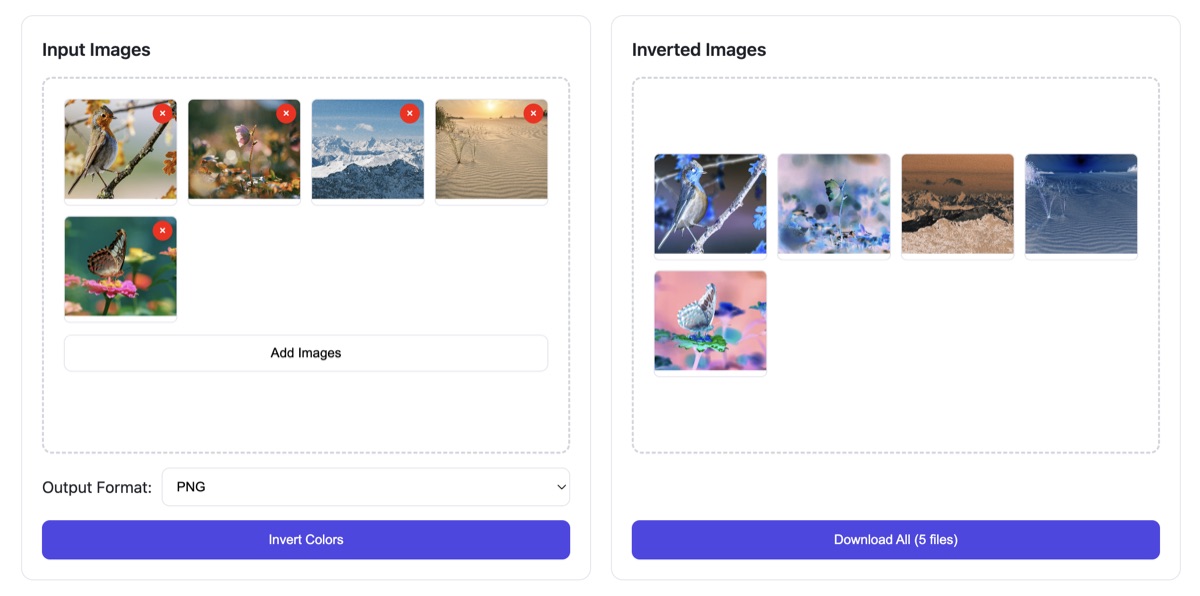
How to invert colors on an image
Click the upload button and select your image file.
The system will automatically invert colors for you.
Check the inverted image on the right side.
Click download to get all images in one package.
Product Features & Strengths
Invert image online
Invert Image is a free online tool that instantly reverses image colors—red to cyan, green to magenta, blue to yellow, and vice versa. Just upload your image and click the Invert Colors button to get the effect in seconds.
What is image color inversion?
Image color inversion flips the tones and hues of an image—turning light areas dark and dark areas light. For primary colors, this means red inverts to cyan, green to magenta, blue to yellow, and vice versa for complementary shades.
Free Unlimited Use
This tool is 100% free to use—full version features, no hidden charges, no sign-up needed, and no demo restrictions of any kind. Invert colors for an unlimited number of images with zero limitations.
Blazing-Fast Processing
Our tool processes image color inversion directly in your browser—no images are uploaded to our servers. Enjoy instant results with zero wait time for uploading, processing, or downloading your inverted images.
Ironclad Data Security
All color inversion processing happens locally in your browser—your images never leave your device and are never uploaded to our servers. Only you have access to your files, ensuring complete privacy and security.
Intuitively Simple to Use
No special skills needed—our tool makes image color inversion effortless. Just upload your image, click the invert button, preview the result instantly, and download your edited image when ready.
Frequently asked questions
A color inverter is a tool that reverses the colors of an image, turning light areas dark and dark areas light. Red becomes cyan, green becomes magenta, blue becomes yellow, and vice versa, creating a negative-like effect.
Simply upload your image to our tool, click the "Invert Colors" button, and the system will automatically reverse the colors for you. You can then preview the result and download the inverted image directly.
Use a color inverter to create negative-style art, improve visibility in low-light photos, design high-contrast graphics, or for accessibility purposes to make content easier to read for visually impaired users.
Our tool supports all common image formats, including JPG, PNG, WEBP, and more. You can upload any number of images, and we process them entirely in your browser for maximum privacy.